
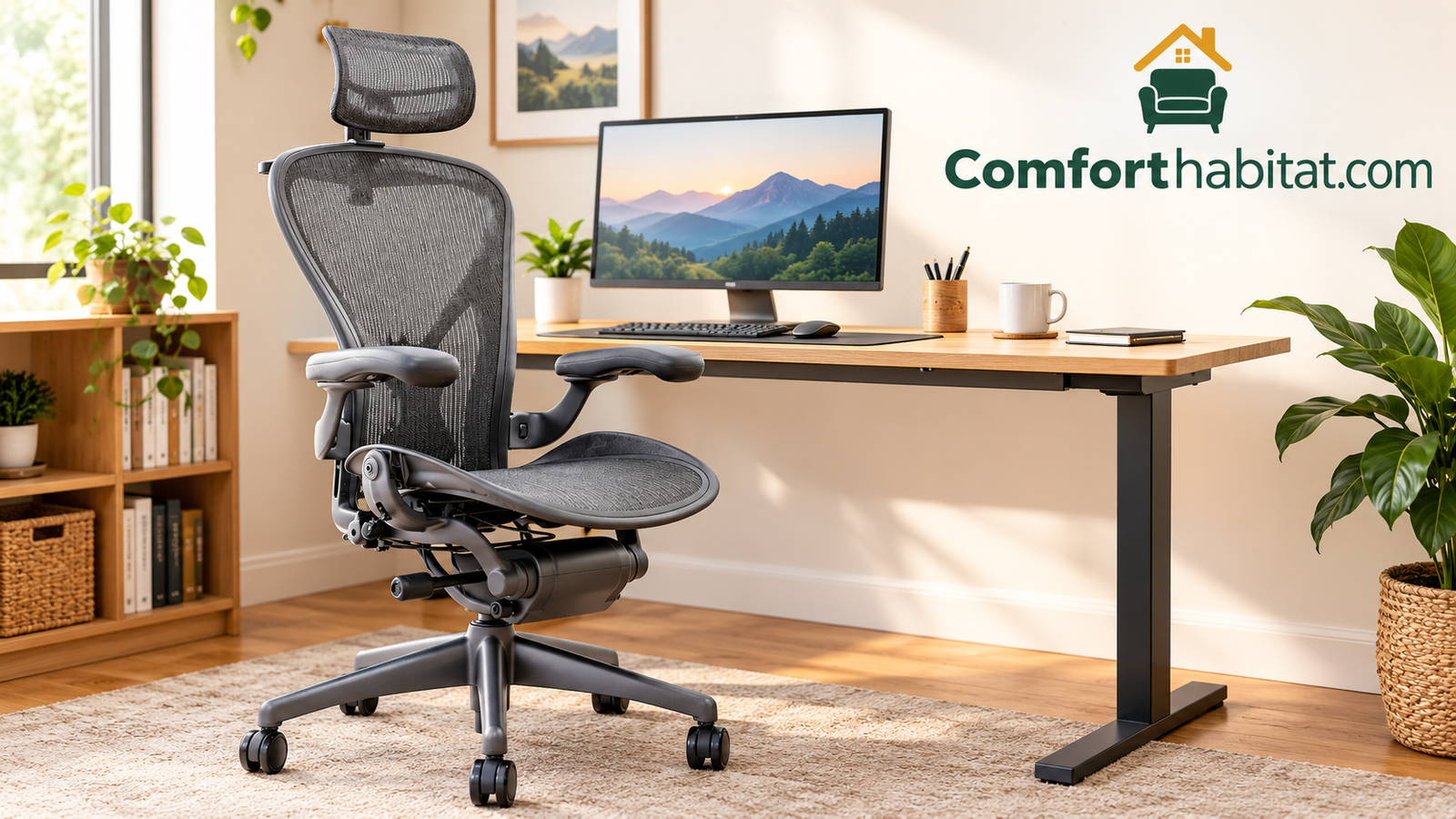
Best Office Chair for Comfort: 10 Tested-Style Picks for Long Workdays
If your back aches by midafternoon, your thighs go numb, or you keep shifting because nothing feels quite right, the problem probably is not you. It is your chair. Here is a plain-spoken guide to the office chairs that actually feel good for hours, from premium icons to budget-friendly surprises.
Heads up: some links below are Amazon affiliate links. If you buy through them, we may earn a small commission at no extra cost to you. It helps us keep publishing honest guides.
Short answer: For most people, the Herman Miller Aeron and Steelcase Leap deliver the best all-day comfort thanks to deep adjustability and proven support. If you want strong comfort for far less money, the Branch Ergonomic Chair, HON Ignition 2.0 and Sihoo M56C are the smartest value picks.
Think about how much of your life happens in a chair. Eight hours at work, plus emails after dinner, plus a few games, a movie, or a long video call. That adds up to more time than most of us spend in our beds during the week. Yet people routinely spend more on a mattress than on the seat their spine rests in for most of their waking hours.
The good news is that comfort is not a mystery. It comes from a handful of features working together: a seat that spreads your weight, a backrest that follows the natural curve of your spine, armrests that take weight off your shoulders, and enough adjustment that the chair can be tuned to your body rather than the other way around. When those pieces line up, you stop noticing the chair. That is the real test of comfort: forgetting it exists.
We looked at ten popular chairs that show up again and again in conversations about comfortable seating, from the classics people have trusted in offices for decades to newer direct-to-consumer brands and budget-friendly options. For each one we break down who it suits, where it shines, where it falls short, and what to double-check before you buy. We also walk through how to choose a chair for your own body and how to set it up so you actually get the comfort you paid for.
If you are still weighing whether an office chair is even the right category for you, our comparison of a gaming chair vs office chair is a helpful side trip. And if you spend your evenings gaming as much as working, you may also want to browse our guide to the best gaming chair for comfort.
What Actually Makes an Office Chair Comfortable?
Before comparing models, it helps to understand what comfort really means in a chair. It is easy to confuse softness with comfort. A thick, pillowy cushion feels wonderful for the first ten minutes. After two hours, it often turns into a hammock that lets your pelvis sink, rounds your lower back, and traps heat. True long-session comfort usually comes from support that is firm enough to hold you in a good position but shaped well enough that no single spot takes all the pressure.
Lumbar support that fits your spine
Your lower back has a gentle inward curve. When you sit, especially in a chair with a flat or reclined back, that curve tends to flatten. Over time, the muscles and discs in your lower back absorb stress they were not designed to carry. A good lumbar system fills the gap behind your lower back so the curve stays supported. The best systems are adjustable in height and depth, because everyone’s curve sits in a slightly different place. A lumbar pad that hits your mid back instead of your waist can feel worse than none at all.
Seat depth and edge shape
Seat depth is the most overlooked comfort feature. If the seat is too deep, the front edge presses into the backs of your knees and cuts off circulation, which is why people end up perching on the front edge and losing back support. If it is too shallow, your thighs lack support and you feel like you are about to slide off. Look for a seat that leaves roughly two to three fingers of space between the edge and the back of your knee when your back is fully against the backrest. A rounded, “waterfall” edge helps too, since it reduces pressure on the thighs.
Armrests that actually adjust
Armrests have one job: let your shoulders relax. If they are too high, they shove your shoulders up toward your ears. If they are too low, you lean to one side to use them. If they are too wide or too far forward, they push you away from your keyboard. Height adjustment is the bare minimum. Width, depth and pivot adjustments are what separate a good chair from a great one, because they let the arms follow your elbows instead of forcing your elbows to follow the arms.
Breathability and thermal comfort
Heat is a quiet comfort killer. Padded foam and faux leather can get warm and sticky, which makes you fidget and sweat. Mesh backs and seats let air flow, keeping your body temperature steadier through the day. If you are curious about the science behind why this matters, our explainer on what is thermal comfort breaks down how body temperature, airflow and humidity shape the way a space, and a seat, feels.
A tilt that moves with you
Your body is not meant to hold one position all day. A synchronized tilt mechanism lets the backrest and seat recline together, so you can lean back during a phone call or a think-session without your shirt riding up or your feet lifting off the floor. Tilt tension control lets lighter and heavier people set how much effort it takes to recline. Locking positions are handy, but a smooth, responsive recline you can use all day is better still.
Durable materials and warranty
A chair that feels great at first but sags in a year is not a comfortable chair. Quality foam holds its shape. Quality mesh stays taut. Quality gas lifts keep your height. A long warranty is not a guarantee of comfort, but it is a reasonable signal that the manufacturer expects the chair to last. We mention warranty considerations throughout this guide, though you should always confirm current terms on the listing before you buy.

Our Top Picks at a Glance
If you want the quick version before the deep dives, this table sums up how each chair fits into a real-world buying decision. Think of it as a map: find the row that sounds like your situation, then jump to that chair’s section for the full story.
| Chair | Best For | Back Material | Price Tier |
|---|---|---|---|
| Herman Miller Aeron | Overall all-day comfort and posture | Pellicle mesh | Premium |
| Steelcase Leap | People who want a deeply responsive recline | Cushioned, upholstered | Premium |
| Steelcase Gesture | Heavy device users and varied postures | Cushioned, upholstered | Premium |
| Branch Ergonomic Chair | Home offices and best value overall | Mesh | Mid-range |
| Branch Verve Chair | Softer, cushioned seating on a budget | Upholstered foam | Mid-range |
| HON Ignition 2.0 | Reliable comfort for shared workspaces | Mesh | Mid-range |
| Sihoo M56C | Feature-rich comfort at a lower cost | Mesh | Budget to mid |
| TRALT Mesh Chair | Everyday budget-friendly mesh seating | Mesh | Budget |
| COLAMY High Back | Plush executive-style lounging | Padded faux leather | Budget |
| Amazon Basics Executive | Simple, affordable high-back seating | Padded faux leather | Budget |
A quick note on how to read the price tiers. Premium means you are paying for decades of ergonomic research, fine-grained adjustment and long-term durability. Mid-range chairs cover the essentials really well and often include a few premium touches. Budget chairs give you a comfortable place to sit at a friendly price, though they usually trade away some adjustability or long-term durability to get there. Actual prices change often, so always check the current listing.
How we judged each chair
We compared the chairs on the features that matter most for sitting comfort: lumbar design, seat shape and depth, armrest adjustability, recline quality, breathability, and overall build confidence. We also considered who each chair is really for, because the best chair for a tall person who works ten hours a day is rarely the best chair for a teenager doing homework. Keep your own body and routine in mind as you read. A great chair on paper only matters if it fits you.

Herman Miller Aeron: The Mesh Chair That Set the Standard
Few chairs have a reputation as strong as the Aeron. It has been a fixture in design museums, tech offices and home studios for decades, and the reason is not just looks. The Aeron is built around a simple idea: a chair should support your body without trapping heat or forcing you into one fixed position. Its woven mesh seat and back stretch like a supportive membrane, spreading your weight evenly instead of concentrating it on a few pressure points.
What it feels like to sit in
The first thing most people notice is how light and airy the chair feels. There is no big cushion to sink into, yet the seat is surprisingly kind to your body. The mesh gives slightly under your sit bones and thighs, and the contoured edge keeps pressure off the backs of your legs. For people who run warm or work in a stuffy room, the airflow is a real advantage. Hours into the day, you are not sticky or overheated, which is a big part of why the chair feels comfortable late in the afternoon.
The backrest is where the Aeron earns its fame. Its posture-support system is designed to hold your pelvis in a neutral position, which in turn helps your lower spine maintain a healthy curve. Instead of a pad that pokes into your back, the support feels built into the shape of the chair. Many sitters describe it as a gentle, constant nudge toward good posture rather than a rigid brace.
Sizing and adjustability
The Aeron comes in multiple sizes, which matters more than most buyers realize. A chair that is too big for a smaller person leaves the seat too deep and the arms too wide. One that is too small for a taller or heavier person feels cramped and unsupportive. Sizing is based on your height and weight, and choosing the right one is the single best thing you can do to get the comfort this chair is known for. Always check the manufacturer’s sizing guidance on the listing before ordering.
Depending on the configuration, you get adjustable seat height, tilt tension, forward tilt, lumbar support and fully adjustable arms. It takes a little time to dial everything in, so plan to spend ten or fifteen minutes the first day tweaking it. If you want a hand with the process, our walkthrough on how to adjust an office chair covers each lever and knob in plain language.
Who should buy it
The Aeron suits people who sit for long stretches, who like a firmer, more athletic feel, and who value breathability. It is a great match for professionals, writers, developers, designers and anyone who works from a home office full time. It is also a solid long-term investment. Because the build quality is high and the chair is backed by a generous manufacturer warranty, many owners keep theirs for years.
It may not be the best pick if you love a soft, plush seat or if you prefer to curl up with your legs crossed on the cushion. Mesh feels different from foam, and some people take a few days to get used to it. The price is also a hurdle. This is a premium chair, and for the money you could buy several of the budget options in this guide. Whether the premium is worth it depends on how many hours you sit and how much your back matters to you.
Pros
- Outstanding airflow keeps you cool
- Excellent, built-in posture support
- Multiple sizes for a better fit
- Highly adjustable arms and tilt
- Strong build quality and long warranty
Cons
- Premium price tag
- Mesh feels firmer than foam
- Takes time to adjust perfectly
- Fewer cushioning options
Steelcase Leap: A Chair That Moves the Way You Do
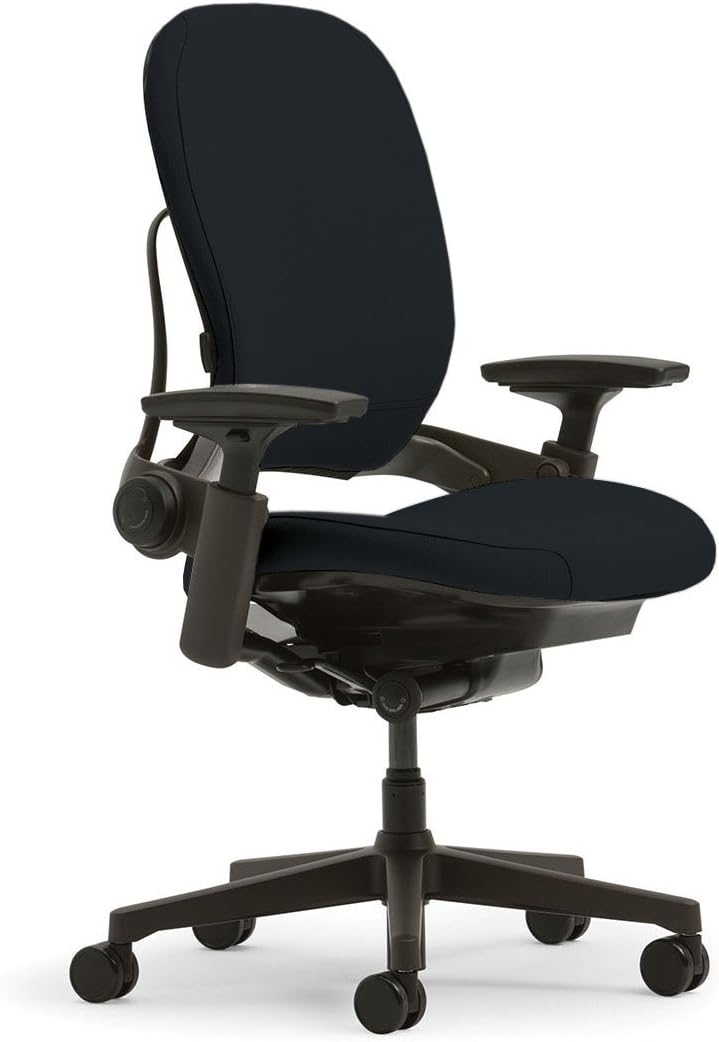
If the Aeron is the athletic, airy chair, the Leap is the attentive one. Steelcase designed it around research into how people actually sit, which is to say, constantly shifting. Rather than fixing you in a single “correct” posture, the Leap follows your movements and keeps supporting you while you lean, stretch and recline.
The backrest that flexes with your spine
The signature feature is a flexible back that is designed to bend and adapt in a way that mirrors the movement of your spine. When you lean back, the backrest and seat move together so your lower back stays supported through the whole range of motion. When you lean forward to type, the chair follows. This makes the Leap especially pleasant for people who alternate between focused keyboard work, phone calls and relaxed thinking time.
The chair also offers adjustable lumbar support, so you can set the pressure and height of the support to match your body. That is a quiet but important difference from chairs where the lumbar pad is fixed in place. Everyone’s spine curves differently, and the ability to tweak this one feature can be the difference between a chair that feels good and one that merely feels okay.
Cushioned comfort with serious ergonomics
Where mesh chairs feel firm and breathable, the Leap offers a cushioned seat and back with a slightly softer touch. If you like feeling gently cradled and dislike the “sitting on a drum skin” sensation some people get with mesh, you will probably find the Leap more inviting. The seat depth is adjustable, which helps people of different heights find a comfortable spot for their thighs, and the arms adjust in multiple directions so your shoulders can stay relaxed.
The upholstery is a consideration. Fabric versions breathe better than faux leather alternatives, though they are not as airy as mesh. If you run hot or live in a warm climate, keep that in mind when choosing a finish.
Daily use and long-term value
Many offices stock Leaps because they hold up. Frames, mechanisms and cushions are built for heavy use, and a generous warranty is typically part of the package. For a home worker, that translates into a chair you can sit in for years without worrying about wobbling arms or a sagging seat. As with any premium chair, confirm the current warranty terms on the listing so you know what is covered.
The Leap is a particularly strong fit for people who struggle to find one comfortable position. If you are a restless sitter, someone who tucks a leg under, switches between upright and reclined, or has had a stiff lower back in the past, the way this chair follows your movement can feel like relief. It is less ideal if you want the lightest, most open-air feel or if your budget is tight.
Pros
- Flexible back follows your spine
- Adjustable lumbar and seat depth
- Smooth, natural recline
- Cushioned feel with strong support
- Built for heavy, long-term use
Cons
- Costs a premium
- Upholstery runs warmer than mesh
- Many controls to learn at first
- Bulkier than minimalist chairs
Steelcase Gesture: Built for How We Really Work Now

Most chair designs started in an era of desktop computers and paper files. The Gesture was designed with phones, tablets, laptops and big monitors in mind. That might sound like marketing, but it shows up in the chair in practical ways, especially the arms, which are the most distinctive feature on the whole chair.
Arms that follow you
Gesture’s armrests are designed to move in several directions, so they can support your forearms whether you are typing, holding a tablet, texting or leaning back with your hands behind your head. Many people spend their working day alternating between devices, and on most chairs the arms support only one of those positions well. With the Gesture, the arms are meant to meet your elbows wherever they land. If you have ever felt that armrests get in the way as often as they help, this is the chair that tries to fix it.
The seat and back also adapt to different postures. The back flexes and the seat tilts, so you can recline, sit upright or lean forward while still getting support. The result is a chair that feels welcoming to people who do not sit “properly” all day. And honestly, that is most of us.
Support for different body shapes
One of the Gesture’s strengths is how well it suits a range of body types. The adjustment range for seat height, depth and back support is wide, which makes it easier for smaller and larger people alike to find a good fit. The cushioning is balanced: soft enough to be inviting, firm enough to stay supportive after several hours.
Like the Leap, it uses upholstery rather than mesh, so it will feel a bit warmer in hot rooms. Fabric choices help, and if you work in an air-conditioned office or a cool home, it is unlikely to bother you.
Choosing between Gesture and Leap
People often wonder which Steelcase to choose. A useful rule of thumb: if the thing you value most is a smooth, natural recline and a supportive back that flexes with you, the Leap is a great fit. If your day involves lots of device switching, phone use and changing arm positions, the Gesture’s arms may make a bigger difference. Both are premium chairs with strong build quality. If you can, try each one in person before deciding.
Whichever chair you choose, pairing it with a well-arranged workspace multiplies the benefit. Our guide on how to set up an ergonomic desk shows how to align your desk height, monitor and keyboard so your chair can do its job.
Pros
- Highly adaptable arms for many devices
- Supportive in many postures
- Wide range of adjustments
- Balanced, inviting cushioning
- Durable, well-regarded construction
Cons
- Premium price
- Warmer than a mesh chair
- Less minimalist in appearance
- Learning curve for the controls
Branch Ergonomic Chair: Premium Features Without the Premium Price Tag

Branch built its name on a straightforward promise: give home and small-office workers a well-designed ergonomic chair without the big-brand price. The Ergonomic Chair is the one that most people mean when they talk about the brand, and it hits a sweet spot between cost, comfort and adjustability that few competitors match.
A thoughtful list of adjustments
For a chair in its price range, the adjustment list is generous. You get seat height and seat depth adjustment, a synchronized tilt with tension control, adjustable lumbar support and height-adjustable arms with a pivoting feel. That is nearly everything you would want from a chair that costs far more. The seat depth control in particular is a quiet hero. It lets taller people stretch the seat for thigh support and shorter people pull it in so their backs stay against the backrest.
The tilt mechanism moves smoothly and holds you well when you lean back. It is not as refined as the premium Steelcase and Herman Miller mechanisms, but for most people working at a desk, it feels natural and supportive. Pair that with a mesh back for breathability, and you have a chair that stays comfortable through long afternoons.
Mesh back, padded seat
The back is mesh, which keeps air moving along your spine. The seat is padded, which gives your thighs and pelvis a softer landing than a pure mesh seat. This mixed approach appeals to a lot of people: you get the cooling effect where it matters most while avoiding the firm feel that can take adjusting to. If you are used to a conventional padded chair and want to move to something more ergonomic without a big change in feel, this is a smart entry point.
Assembly, looks and everyday living
The chair is designed to be simple to assemble with the tools included, and it ships in a box you can handle without help. Its look is clean and modern, which blends easily with a home office, a bedroom desk or a shared living space. It will not scream “corporate cubicle.” Color choices are usually available, so you can match it to your room.
As for durability, direct-to-consumer chairs are generally built to hold up under everyday use, and many come with a multi-year warranty. Check the listing for current coverage so you know what to expect, and keep your order information handy in case you ever need support.
Who it is for
The Branch Ergonomic Chair is ideal for remote workers, students, freelancers and anyone setting up a first “real” office chair. If you work six to eight hours a day and want proper lumbar support and adjustable arms without a four-figure budget, this should be near the top of your list. If you are tall, heavy or sitting for extreme stretches, it is worth stepping up to a premium chair with more sizing options. For most people, though, this is the one that delivers the most comfort per dollar in this guide.
Pros
- Excellent value for the feature set
- Adjustable seat depth and lumbar support
- Breathable mesh back
- Clean, modern design
- Straightforward assembly
Cons
- Mechanism is less refined than premium chairs
- Limited sizing options
- May not suit very tall or heavy users
Branch Verve Chair: Cushioned Comfort in a Stylish Package

Where the Ergonomic Chair leans toward a breathable, office-ready feel, the Verve leans toward cozy. It is Branch’s answer to people who want a chair that looks great in a living space and feels soft the moment they sit down, without giving up the adjustments that keep a back happy.
A plusher seat and backrest
The Verve uses an upholstered, cushioned design for both seat and back. That means a gentler first impression and a more enveloping feel. If you spent years in a padded chair and found mesh too stiff, you will likely feel at home here. The cushioning is shaped to support rather than simply fluff up, so you are not sinking into a shapeless pillow. It still holds you in a reasonable posture, and the contour helps with pressure distribution through longer sessions.
Because it is upholstered, it tends to look more like furniture than equipment. That makes it a nice match for rooms that double as living spaces, such as a studio apartment, a bedroom corner desk or an open-plan home. The color and fabric options can make it feel like part of the decor rather than an obvious office chair.
Adjustments that still count
You will typically find adjustable seat height, a tilt mechanism and adjustable arms, along with a back designed to support the lumbar region. Compared with its mesh sibling, the Verve may offer a slightly simpler set of controls. That is not necessarily a drawback. Some people prefer fewer knobs and levers to fiddle with, especially if the chair will be shared among family members.
If you tend to move between work and relaxation in the same seat, such as answering emails and then switching to a long video, the Verve’s soft feel is hard to beat. If you suffer from back pain and need very specific adjustments, though, it makes sense to prioritize a chair with deeper lumbar and seat-depth controls.
Heat and cleaning considerations
Upholstered chairs hold more warmth than mesh chairs, so people who run hot may find themselves a little toastier in the afternoon. Fabric also needs more upkeep: crumbs, spills and pet hair have more places to cling to. A quick weekly vacuum and prompt attention to spills go a long way toward keeping it looking fresh. Fabric protector spray can help too, though it is worth testing on a hidden spot first.
All of this said, the Verve is a lovely choice for anyone who values comfort, style and a softer feel in equal measure. It is a smart pick for students, creative professionals and anyone whose workspace sits in view of guests.
Pros
- Soft, inviting cushioning
- Stylish, furniture-like look
- Good fit for living spaces
- Simple, easy-to-use controls
Cons
- Runs warmer than mesh
- Fabric needs regular cleaning
- Fewer fine-tuning adjustments
HON Ignition 2.0: A Dependable Workhorse That Gets the Basics Right

Not every comfortable chair has to be flashy. The HON Ignition 2.0 is a perfect example. It is a mesh-back task chair that focuses on doing the important things well: supporting your lower back, keeping you cool and offering enough adjustment that most adults can find a good fit.
An approachable ergonomic setup
The Ignition 2.0 is designed with an intuitive set of controls, which makes it easy to adjust even if you have never owned an ergonomic chair. Seat height, tilt and arm height are adjustable, and many versions include an adjustable lumbar support. The mesh back keeps airflow steady, and the seat is cushioned for everyday comfort. It is the kind of chair that you can set up in a few minutes and then simply forget about, which, as mentioned earlier, is a sign of good comfort.
The synchronized tilt lets the chair recline smoothly without pulling your shirt up or lifting your feet off the floor. That makes it pleasant for phone calls and thinking breaks. Tilt tension can usually be adjusted to suit different body weights, so lighter people are not fighting a stiff recline and heavier people are not tipping back more than they want.
Why offices love it
HON is a long-established name in commercial furniture, and the Ignition line is built to withstand the rhythms of a busy workplace. That durability benefits home users too. If your chair will be shared among several family members, used by a growing teenager or simply used a lot, a model designed for office use is a reassuring choice. Warranty terms for commercial-grade chairs are often generous, but confirm the details on the listing.
The appearance is professional and understated, with a design that works in corporate settings and home offices alike. It will not win awards for glamour, but it also will not look out of place anywhere.
Where it trades off
Because the Ignition 2.0 sits in the middle of the market, it does not offer the deep sizing choices or the exceptional refinement of a premium chair. Taller or heavier users should check weight capacity and seat dimensions carefully. The arms are functional but do not offer the multi-directional adjustment of a chair like the Gesture. If you want the most precise fit possible, a premium chair is the better path. If you want a dependable, comfortable chair at a fair price, this is a very strong contender.
If you are building a complete workspace around it, remember that the best chair in the world cannot compensate for a desk at the wrong height. Revisit our tips on setting up an ergonomic desk and the guide to adjusting an office chair to get the full benefit.
Pros
- Simple, intuitive adjustments
- Breathable mesh back
- Commercial-grade durability
- Comfortable synchronized tilt
- Understated, professional look
Cons
- Limited sizing options
- Arms are less adjustable than premium models
- Not as refined as top-tier chairs
Sihoo M56C and TRALT Mesh Chair: Comfort Without Stretching Your Budget
Not everyone can or wants to spend several hundred dollars on a chair. The good news is that the budget mesh category has improved dramatically. Two popular options, the Sihoo M56C and the TRALT Ergonomic Mesh Chair, bring features that used to be reserved for much pricier models. Neither is going to match a Herman Miller or Steelcase for fine engineering, but both can be genuinely comfortable for everyday work if you pick the right one for your body.
Sihoo M56C Ergonomic Chair

The Sihoo M56C is aimed at people who want a feature-rich ergonomic chair without a big spend. It usually includes a breathable mesh back, a contoured lumbar support, adjustable arms, a recline function and sometimes a headrest, which can be a real plus if you like to lean back and rest your neck while reading or thinking. That list reads like something you would expect to pay far more for.
Where this chair shines is in the sheer number of touchpoints that can be adjusted to your body. A headrest, adjustable arms and a flexible lumbar support give you a lot of ways to tune the fit. For people who have previously used a basic, flat-backed chair, the difference can be striking: you suddenly feel supported at the neck, lower back and forearms at the same time.
There are trade-offs. At this price, you should not expect the same material quality, mechanism smoothness or long-term durability as a premium chair. Some adjustments may feel a bit less refined, and the foam seat might compress over several years of heavy use. It is worth reading recent customer reviews for patterns before you buy, and keeping the assembly instructions and packaging handy in case you need support. Tall users should also confirm that the headrest and seat height reach a comfortable position.
Pros
- Many adjustment points for the price
- Breathable mesh back
- Headrest option for neck support
- Strong value for home offices
Cons
- Less refined mechanisms than premium chairs
- Seat foam may compress over time
- Fit varies for very tall or petite users
TRALT Ergonomic Mesh Chair
The TRALT Ergonomic Mesh Chair is the everyday option in this group. It tends to focus on the essentials: a mesh back to keep you cool, a padded seat, adjustable height, a rocking or tilt function and armrests. It is the kind of chair that suits a student, a part-time home worker or anyone who needs a comfortable seat without a long list of features to learn.
Mesh is a particularly smart choice at the budget end, because it keeps you cooler than cheap faux leather and generally feels fresher over time than a thin foam pad. The back contour offers some support for your spine, and because the controls are simple, it is easy to set up and adjust in a few minutes.
The trade-offs are the ones you would expect. Adjustability is typically more limited than on the Sihoo or Branch chairs, and long-term durability will depend on how hard you use it. If you sit more than six hours a day, you will probably appreciate more lumbar adjustment and a more sophisticated tilt. For lighter daily use, though, it can be a very pleasant place to sit, especially compared to a basic chair you might have been using at a kitchen table.
Pros
- Budget-friendly price
- Cool, breathable mesh back
- Simple, easy setup
- Good for light to moderate daily use
Cons
- Fewer adjustments than pricier chairs
- Less support for very long sessions
- Durability varies with heavy use
COLAMY and Amazon Basics Executive Chairs: Big, Padded and Affordable
Executive-style chairs have a loyal following for a reason. A tall, padded back that reaches your shoulders or head, thick cushioning and wide, comfortable arms create a sense of being supported all over. They look like boardroom seating and feel like a recliner. For people who spend a lot of time reading, taking calls or working at a relaxed pace, they can be a very pleasant choice. Both of these chairs come in at a budget-friendly price.
COLAMY High Back Executive Chair

The COLAMY High Back Executive Chair focuses on plush padding and a tall backrest. Many versions include a headrest, a lumbar cushion and a reclining function, giving you a lot of options for finding a relaxed position. The padded faux-leather surface looks smart and is easy to wipe clean, which makes it a practical choice for homes with kids or pets.
If you love the sink-in feeling of a thick cushion, this style delivers it right away. The tall back also provides support to the upper spine and neck, which is helpful when you lean back to think or read. The recline can make it a good choice for breaks and phone calls.
The caveats are the ones that come with padded faux leather. It holds heat, so it can feel warm and sticky in a hot room. Over the long term, faux leather can crack or peel with heavy use, so lighter use and gentle care help it last. Because the padding is soft, it may not provide the firm, posture-guiding support that a more ergonomic chair offers for a full eight-hour day. It is better suited to moderate use than constant, all-day sitting.
Pros
- Thick, plush padding
- Tall back with headrest support
- Easy-to-clean surface
- Budget-friendly price
Cons
- Faux leather runs warm
- Surface may wear with heavy use
- Less precise ergonomic adjustment
Amazon Basics Executive High Back Chair

The Amazon Basics Executive High Back Chair is the no-frills version of the same idea. It gives you a padded seat, a tall back, sturdy armrests and height adjustment at a low price. It is not trying to reinvent the office chair. It simply provides a comfortable, easy-to-use seat that fits into most home offices without fuss.
This chair is a particularly good fit if you are furnishing a space on a tight budget, setting up a spare room or need a seat for occasional desk work. It is simple to assemble, simple to adjust, and does the job without a steep learning curve. Many people also like the classic look, which fits a traditional study or den.
Like the COLAMY, the trade-off is limited ergonomic fine-tuning. You should not expect adjustable lumbar depth, adjustable seat depth or multi-directional arms. If you are prone to back pain or you plan to sit for many hours each day, you may be better served by one of the mesh chairs above. If you want comfort for moderate daily use, though, it is a sensible, affordable choice.
It is also worth reading our article on whether a gaming chair is good for your back, because many of the same questions apply to executive-style chairs: padded, high-backed seats can feel great, but feeling great and supporting good posture are not always the same thing.
Pros
- Very affordable
- Simple assembly and controls
- Padded seat and tall back
- Classic, professional look
Cons
- Limited ergonomic adjustments
- Padded surface runs warm
- Not ideal for all-day heavy use
How to Choose the Right Office Chair for Your Body
With ten chairs on the table, the next question is which one fits you. The honest answer is that the best chair depends on your body, your routine and your budget. Walk through the steps below, and you will narrow things down quickly.
Start with how long you sit
If you sit for two to three hours a day, a simple, comfortable chair like the Amazon Basics or TRALT can do the job. If you sit for six to eight hours or more, put adjustability and support first. That is where chairs like the Branch Ergonomic, HON Ignition 2.0, Sihoo M56C and the premium Herman Miller and Steelcase models pull ahead. The longer you sit, the more small mismatches between you and the chair add up to aches.
Match the chair to your height and weight
Check the manufacturer’s recommended height and weight ranges. A chair that is too deep for a short person or too small for a tall one will never feel right, no matter how good the features are. If you are at either end of the spectrum, premium chairs with multiple sizes offer a real advantage. For everyone else, look for a chair with adjustable seat height and depth so you can fine-tune the fit.
Decide between mesh and cushioned
Mesh keeps you cool and gives firm, even support. Cushioned seats feel softer and more inviting but can run warmer. Neither is better in every case. Think about your climate, your preferences and whether you share the chair with others. If you are unsure, a mesh back with a padded seat, as in the Branch Ergonomic Chair, is a good middle path.
Check the features that matter most
- Lumbar support: Adjustable height and depth are best.
- Seat depth: Aim for two to three fingers of gap behind your knees.
- Armrests: Height adjustment is the minimum; width and pivot are bonuses.
- Tilt: A synchronized tilt with tension control is ideal.
- Casters: Match them to your floor. Soft wheels for hardwood, standard for carpet.
- Warranty: Longer is generally a good sign of build confidence.
Compare the key differences
| Feature | Premium (Aeron, Leap, Gesture) | Mid-range (Branch, HON, Sihoo) | Budget (TRALT, COLAMY, Amazon Basics) |
|---|---|---|---|
| Lumbar adjustment | Fine-tuned, highly adjustable | Good, usually adjustable | Basic or fixed |
| Sizing options | Multiple | Usually one | One |
| Arm adjustment | Multi-directional | Height, sometimes more | Limited |
| Long-term durability | Excellent | Good | Varies |
| Best use | Full-time, long sessions | Daily home or office use | Light to moderate use |
Think about gaming and mixed use
If your chair also serves as a gaming seat, look for a model with a comfortable recline and strong back support. Racing-style gaming chairs often prioritize looks over ergonomics, which is why many gamers move to office chairs. We cover that debate in depth in our gaming chair vs office chair comparison. For gamers who prefer a dedicated gaming seat, the best gaming chair for comfort roundup highlights the models that balance style and support.
Which chair fits which kind of worker?
Sometimes the easiest way to decide is to picture your own day. Here is how the chairs in this guide tend to match real situations.
The full-time remote professional
If your laptop is open from morning until evening, you need a chair that holds up and keeps adjusting with you. The Aeron and Leap are the long-term answers, while the Branch Ergonomic Chair gives you most of the key features at a far friendlier price. Whatever you pick, prioritize adjustable lumbar support and seat depth, since you will use them every single day.
The student or part-time desk user
If you study or work at a desk for a few hours at a time, you do not need a four-figure chair. A TRALT mesh chair or an Amazon Basics executive chair can be perfectly pleasant, and the Branch Verve is a lovely option if the chair will live in a bedroom or shared room. Just remember to stand up and stretch regularly, since a budget chair offers less support for marathon sessions.
The creative who sits in many positions
Designers, editors and writers tend to change posture constantly: leaning in to draw, leaning back to think, perching to review a draft. The Steelcase Gesture and Leap were designed for exactly this kind of movement, and the Verve offers a softer alternative if you prefer a cozier feel.
The shared household or small office
When several people use the same chair, simple controls and sturdy construction matter more than a long list of adjustments. The HON Ignition 2.0 is an excellent fit because it is easy to set up quickly and built for commercial use. Show everyone how to adjust the height and tilt tension, and the chair will suit a range of bodies.
The person who loves a plush recline
If your ideal chair feels like a favorite armchair, an executive-style model like the COLAMY or the Amazon Basics is a natural match. These chairs are best for moderate use, such as reading, calls and lighter desk work, rather than eight straight hours of keyboard time.
Common mistakes to avoid when buying a comfortable chair
- Buying on looks alone. A chair that looks sleek in photos can be a poor fit for your body. Prioritize adjustability and fit first, then style.
- Confusing soft with supportive. A pillowy seat can feel great for ten minutes and punishing after two hours. Look for contoured, supportive cushioning rather than sheer thickness.
- Ignoring seat depth. A seat that is too deep or too shallow is behind a surprising share of “mystery” discomfort.
- Skipping the setup. Leaving a chair on its default settings wastes the features you paid for. Spend ten minutes adjusting it properly.
- Forgetting the desk. If your desk is too high or too low, your chair cannot fix your posture. Align the two.
- Overlooking the floor. Hard casters can scratch hardwood and soft casters can feel sticky on thick carpet. Match the wheels to your surface and consider a chair mat.
- Not testing it long enough. A five-minute sit tells you very little. If you can, use the chair for a full week of normal work before the return window closes.
A final thought on budgets: it is tempting to treat a chair as an expense, but it is more useful to think of it as equipment you use every day. If you spend a thousand hours a year in a chair, even a modest improvement in comfort pays itself back in focus, energy and fewer aches. That does not mean everyone needs a premium chair. It means that spending a little more time and money here, rather than on something you use far less often, is usually a good trade.
Do not skip the return policy
No review can tell you exactly how a chair will feel on your body. Before you buy, check the return window and the condition requirements. Sit in the chair for a full week of real work if you can. The first few days, a new chair always feels a little strange, so give yourself a fair test before deciding.
Setup, Posture and Daily Habits That Make Any Chair More Comfortable
Here is something chair reviews rarely say out loud: even the best chair will let you down if it is set up badly. A mid-range chair that is adjusted properly will often feel better than a premium chair left on its factory settings. The good news is that the process takes about ten minutes, and you only need to do it once, plus the occasional tweak.
A simple ten-minute setup routine
- Set the seat height. Sit all the way back, place your feet flat on the floor, and adjust until your thighs are roughly parallel to the ground and your knees sit at about hip level or slightly below.
- Check the seat depth. With your back against the backrest, you should be able to slide two to three fingers between the seat edge and the back of your knee. Adjust the seat forward or back if your chair allows it.
- Position the lumbar support. The firmest part of the support should meet the small of your back, roughly at belt level. If it pokes you or hits your ribs, lower it.
- Adjust the armrests. Let your shoulders drop, bend your elbows to about ninety degrees, and raise the arms until they just touch your forearms without lifting your shoulders.
- Set the tilt tension. You want to be able to lean back with gentle effort, without the chair snapping you upright or letting you flop.
- Align your screen. The top of the monitor should sit at or slightly below eye level, about an arm’s length away.
If any of those steps feel unfamiliar, our full guide on how to adjust an office chair goes lever by lever, and the article on how to set up an ergonomic desk helps you get the desk, keyboard and monitor in line with your seat.
Move more than you think you need to
Even a perfect chair cannot make a static posture healthy. Your body is built to move, and your muscles and discs get nutrients and relief when you change position. A good habit is to stand up, stretch or walk for a minute or two every thirty to sixty minutes. Set a quiet reminder on your phone if you tend to get lost in your work. Some people pair this with a sit-stand desk, alternating positions through the day. If you do, remember that standing all day is no healthier than sitting all day. Variety is the goal.
Mind your feet and legs
If your feet dangle after you set the seat to the right height, a footrest can help. If you cross your legs a lot, try to alternate sides and take frequent breaks from it, since it can tilt your pelvis and strain your lower back. Keep your feet flat when you can, and avoid tucking them tightly beneath the seat for long periods, as this can reduce circulation.
Keep the temperature in check
Comfort is not only mechanical. A room that is too warm makes you fidgety and drowsy, and a room that is too cold makes you tense your shoulders. Mesh chairs help in warm spaces, while cushioned chairs feel cozier in cool ones. A small fan, a thermostat adjustment or a lightweight layer can be just as important as the chair itself. If you want to understand why, our article on thermal comfort explains how air temperature, airflow and humidity shape the way you feel.
A quick posture check you can do in thirty seconds
Once your chair is set up, run through this mental checklist a few times a day. It takes almost no time, and it catches small habits before they turn into aches.
| Body Part | What to Aim For | Common Slip |
|---|---|---|
| Head and neck | Ears roughly over shoulders, eyes level with the top third of the screen | Craning forward toward the monitor |
| Shoulders | Relaxed and dropped, not hunched | Armrests set too high |
| Lower back | Gently supported by the lumbar curve | Slouching away from the backrest |
| Elbows | Bent near ninety degrees, close to your body | Reaching forward for the keyboard |
| Hips and thighs | Level with or slightly above the knees | Perching on the front edge of the seat |
| Feet | Flat on the floor or a footrest | Dangling or tucked tightly under the chair |
If you notice yourself slipping into the “common slip” column, do not scold yourself. Simply reset. Your body will gradually learn what supported sitting feels like, and the chair will do more of the work for you. Over a few weeks, many people find that they naturally sit better, not because they are trying harder, but because the chair finally makes good posture the easiest option.
It also helps to treat your setup as a living arrangement rather than a one-time project. Bodies change with seasons, workloads and life. If you start a new project with a different keyboard, switch to a bigger monitor or notice a new twinge, take two minutes to revisit your settings. The small adjustments you make are often the ones that keep a good chair feeling good for years.
Care and maintenance
A little upkeep keeps a chair comfortable for years.
- Mesh chairs: Vacuum with a soft brush attachment and spot-clean with mild soap and water. Avoid sharp objects, which can snag the weave.
- Fabric chairs: Vacuum weekly and treat spills quickly with a fabric-safe cleaner.
- Faux leather chairs: Wipe with a damp cloth and avoid harsh cleaners that can dry out the surface.
- Casters and base: Remove hair and debris from the wheels every few months so the chair rolls smoothly.
- Bolts and mechanisms: Check that screws are snug every six months, and tighten any that have loosened.
Know when to replace your chair
If your chair sinks on its own, wobbles, has a cracked base or leaves you sore every day despite proper adjustment, it may be time for a new one. Gas lifts and foam wear out eventually, even on good chairs. Persistent pain that does not improve with a better setup is also worth discussing with a healthcare professional, since a chair is a tool, not a treatment.

Frequently Asked Questions About Comfortable Office Chairs
What is the most comfortable office chair overall?
For most people, the Herman Miller Aeron and the Steelcase Leap offer the best mix of support, adjustability and durability. The Aeron suits those who prefer a cool, firm mesh feel, while the Leap suits those who want a cushioned, responsive recline. If your budget is smaller, the Branch Ergonomic Chair and HON Ignition 2.0 deliver excellent comfort for the price.
Is mesh or cushioned better for comfort?
Neither is universally better. Mesh breathes well and gives even, firm support, which many people prefer over long days. Cushioned seats feel softer at first but can run warmer. Choose based on your climate, your preferences and how long you sit. A mesh back with a padded seat is a good compromise.
How much should I spend on a comfortable office chair?
It depends on how much you sit. For light use, a budget chair may be enough. For six to eight hours a day, a mid-range or premium chair is usually worth it, since you are spending much of your day in it. Think of the cost per hour of use and the long-term value of a durable chair.
Are expensive chairs like the Aeron really worth it?
For many full-time desk workers, yes. Premium chairs offer finer adjustments, multiple sizes, better materials and longer warranties. If you sit for long stretches, those details add up to real comfort. If you only sit occasionally, a mid-range chair may give you most of the benefit for far less money.
What features matter most for back comfort?
Adjustable lumbar support, proper seat depth, a supportive backrest and a smooth, synchronized tilt matter most. Armrests that let your shoulders relax also play a big part. Look for a chair that lets you adjust each of these to your body rather than a one-size-fits-all design.
How do I know if a chair is the right size for me?
With your back against the backrest, you should have two to three fingers of space between the seat edge and the back of your knees, and your feet should rest flat on the floor. Always check the manufacturer’s height and weight guidance, especially on chairs that come in multiple sizes.
Is a gaming chair as good as an office chair for comfort?
Some are, but many gaming chairs prioritize style over adjustable support. Office chairs usually offer finer lumbar and armrest adjustment. Our guides on gaming chair vs office chair and on whether a gaming chair is good for your back explore the differences in detail.
Can a good chair help with back pain?
A well-fitted chair can reduce strain and make sitting more comfortable, but it is not a cure. Good posture habits, regular movement and a proper desk setup all matter. If you have persistent or severe pain, speak with a healthcare professional rather than relying on a chair alone.
How long does it take to get used to a new ergonomic chair?
Most people need several days to two weeks. A new chair supports your body differently than your old one, so it can feel unusual at first. Take time to adjust each setting and give your body a fair chance to adapt before deciding whether it works.
How often should I replace my office chair?
Quality chairs can last many years, and premium models are often built for a decade or more of use. Replace yours if the gas lift fails, the cushioning flattens, the base cracks or you notice new discomfort that adjustment does not fix. Budget chairs may wear out sooner with heavy daily use.
What is the best comfortable office chair on a budget?
The Branch Ergonomic Chair, HON Ignition 2.0 and Sihoo M56C offer the best balance of features and cost. If your budget is tighter still, the TRALT mesh chair and the Amazon Basics executive chair are comfortable choices for lighter daily use.
Do I need a headrest?
Not necessarily. A headrest is useful if you often lean back to read, think or take calls, since it supports your neck. If you sit upright most of the day, it is less important. Chairs like the Sihoo M56C and the executive-style models include one if you want the option.
Final Verdict: Which Office Chair Should You Choose?
Comfort is personal, but the pattern is clear. If you sit for long hours and want the best support money can buy, the Herman Miller Aeron, Steelcase Leap and Steelcase Gesture are the benchmarks. Each offers deep adjustability, strong materials and a design shaped by decades of research. Choose the Aeron for cool, even support, the Leap for a responsive recline, and the Gesture if you juggle several devices through the day.
If you want most of that comfort at a fraction of the price, the Branch Ergonomic Chair, HON Ignition 2.0 and Sihoo M56C are the smartest picks. The Branch Verve is perfect for people who prefer a softer, furniture-like seat. The TRALT, COLAMY and Amazon Basics chairs are friendly options for lighter use and tight budgets.
Whichever you choose, remember that comfort is a partnership between the chair and the person in it. Set it up carefully, move often and keep your desk and screen aligned. Do that, and you may find that the afternoon slump in your back is gone, and that you have simply forgotten the chair is there.
Pingback: Best Comfort Height Toilet: 10 Taller Toilets