

Best Gaming Chair for Comfort: 10 Chairs That Actually Feel Good After Hours of Sitting
A comfortable gaming chair is not the one with the softest cushion in the showroom. It is the one you forget about while you are deep into a long session. Here is how to find it, and which models deserve a spot on your shortlist.
Anyone who has spent a long evening in the wrong chair knows the pattern. The first hour feels fine. By hour two, your lower back starts to complain. By hour three, you are shifting every few minutes, perching on the edge of the seat, or slumping sideways against an armrest just to find some relief. Your attention drifts from the game, the spreadsheet, or the video call because your body is quietly asking for a change.
This guide is built to help you avoid that. We compared ten popular gaming chairs on the things that genuinely shape comfort: lumbar support, seat shape and depth, adjustability, breathability, padding that holds its form, and the extras, like footrests and massage features, that some people love and others never touch. Along the way, we explain the reasoning behind each recommendation so you can make a smart call even if your needs are different from ours.
Quick note: this page contains affiliate links. If you buy through them, we may earn a small commission at no extra cost to you. It helps keep the guides free, and it never changes what we recommend.
Best Gaming Chairs for Comfort at a Glance
If you are short on time, this is the fast version. We picked one standout in each category, because “best” depends heavily on who is sitting, how long they sit, and what they are willing to spend. Every chair below gets a full write-up later in the guide, so you can dig in wherever something catches your eye.
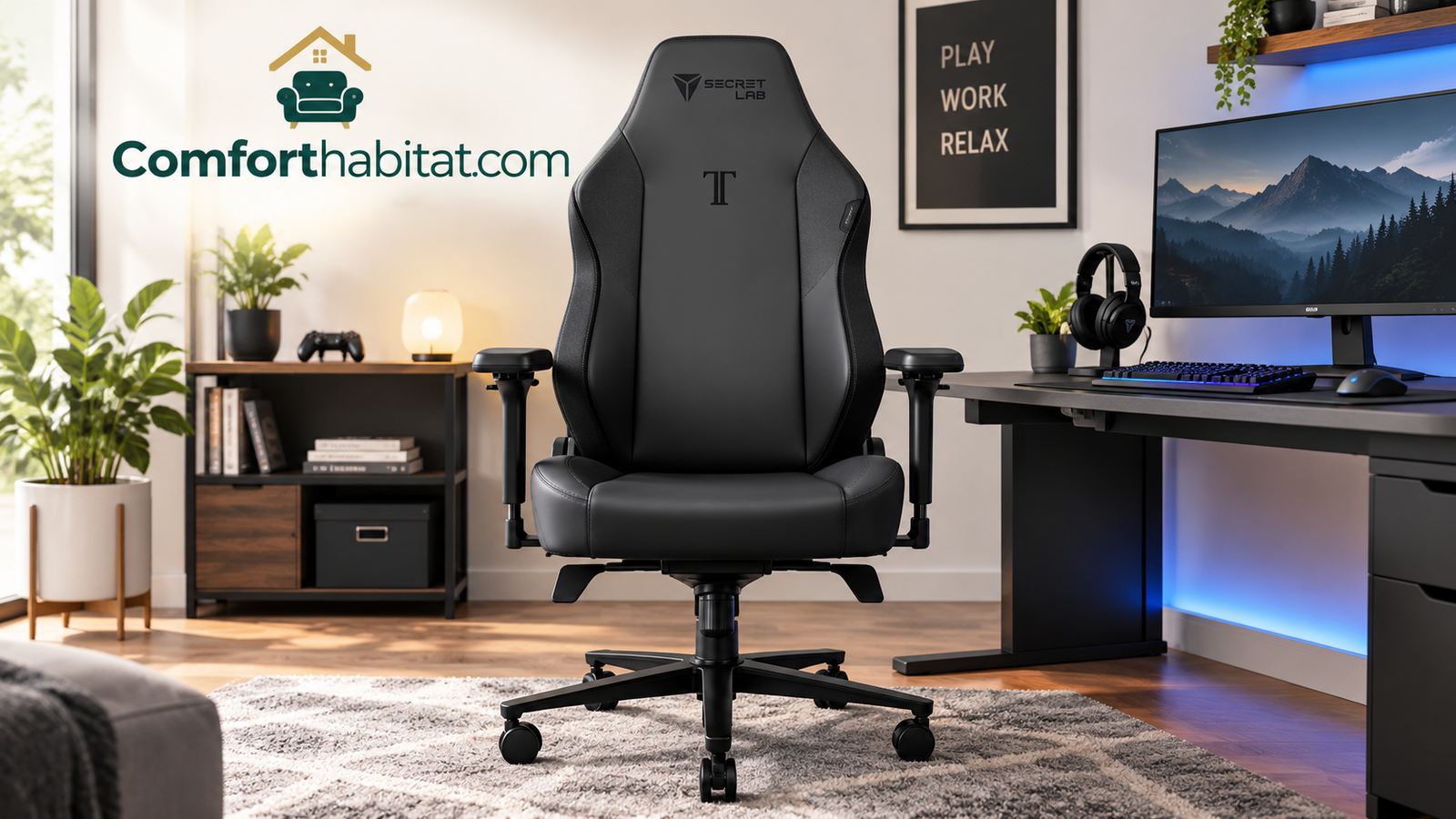
- Best overall for long-session comfort: Secretlab Titan Evo. Premium price, premium adjustability, and a design built around lumbar and neck support.
- Best all-round pick with a gaming look: AutoFull G7 Gaming Chair. A well-rounded option for people who want a classic racing-style shell with solid padding.
- Best for hot rooms and breathability: ELABEST X100 Ergonomic Mesh Chair. Mesh keeps air moving where leather-style covers trap heat.
- Best for lower-back relief: Yaheetech Gaming Chair with Massage Lumbar. A built-in massage lumbar cushion gives you something to lean into and a way to change pressure points.
- Best with a footrest: N-GEN GAMING Video Gaming Chair with Footrest and GTPLAYER Gaming Chair with Footrest. Great for recline-and-relax sessions.
- Best ergonomic value: Dowinx Ergonomic Gaming Chair. Thoughtful ergonomics without a premium price tag.
- Best budget picks: Homall Gaming Chair, BestOffice PC Gaming Chair, and OLIXIS Computer Gaming Chair. Entry-level pricing for casual or shorter sessions.
Side-by-side comparison
| Chair | Best for | Main comfort angle | Typical budget tier |
|---|---|---|---|
| Secretlab Titan Evo | Daily long sessions, work plus play | Adjustable lumbar, head pillow, dense cushioning | Premium |
| AutoFull G7 | Gamers wanting a racing-style look | Padded seat and back, recline | Mid-range |
| ELABEST X100 Mesh | Warm rooms, all-day desk use | Breathable mesh, ergonomic back shape | Mid-range |
| Yaheetech with Massage Lumbar | Lower-back tension | Massage lumbar cushion | Budget-friendly |
| N-GEN with Footrest | Reclining, console and couch-style play | Retractable footrest | Budget-friendly |
| Dowinx Ergonomic | Buyers who want ergonomics on a budget | Lumbar support, adjustable features | Mid-range |
| GTPLAYER with Footrest | Short naps and long streaming sessions | Footrest plus recline | Budget-friendly |
| Homall Gaming Chair | First gaming chair, tight budgets | Simple padded design | Budget |
| BestOffice PC Gaming Chair | Occasional use, small spaces | Straightforward cushioning | Budget |
| OLIXIS Computer Gaming Chair | Students and casual players | Basic padded comfort | Budget |
A fair warning about prices and specs. Retail listings change often. Colors, sizes, included accessories, and prices can shift from week to week, and similar-looking chairs sometimes come in several versions. Before you buy, open the current listing and confirm the dimensions, weight rating, and what is in the box. That five-minute check is the cheapest comfort upgrade there is.
One more thing before we go deeper: no chair on this list will fix a bad setup or replace regular movement. The most comfortable chair in the world still works best when your desk height, monitor position, and break habits are in order. We cover all of that later, but keep it in mind as you compare options.
Want to see everything in one place? Browse popular comfort-focused gaming chairs on Amazon and compare current prices and sizes.
Browse Comfortable Gaming Chairs on AmazonWhat Actually Makes a Gaming Chair Comfortable
Comfort is one of those words everyone uses and few people define. In a chair, it is really the sum of several small things going right at the same time. When one of them goes wrong, you feel it, even if you cannot immediately say why. Let us break the experience down so you know exactly what you are evaluating.
Lumbar support that matches your spine
Your lower spine has a natural inward curve. When you sit in a chair that lets that curve flatten, the muscles and ligaments around it work harder to hold you upright, and the discs in your lower back carry more load than they would if you were standing. A well-designed backrest, or a cushion placed in the right spot, fills the gap behind the small of your back so that curve is supported rather than abandoned.
Here is the catch. A lumbar cushion that sits too high or too low can feel worse than none at all. It should land roughly at the belt line, in the hollow of your lower back. This is why adjustability matters more than raw padding: a fixed bump that suits one person may poke another in the ribs. Chairs with a sliding or height-adjustable lumbar element, or with a loose cushion you can reposition, give you room to dial in the fit.
Seat shape, depth, and padding
The seat is where your weight lands, so its shape matters a lot. Look for a seat that supports your thighs along most of their length without pressing into the backs of your knees. As a simple guide, you should be able to fit about two to three fingers between the front edge of the seat and the back of your knee when your back is against the backrest. Too deep, and the edge cuts off circulation. Too shallow, and your thighs hang unsupported, which shifts pressure onto your sit bones.
Padding is a balancing act. Soft foam feels wonderful in the showroom but can compress quickly, leaving you sitting on the hard base underneath. Firmer, denser foam feels stiffer at first and often stays supportive for much longer. If you plan to sit for hours, favor the firmer side of the spectrum, because a seat that holds its shape distributes pressure more evenly.
Adjustability is the real luxury
Bodies are different, and desks are different. A chair that lets you change seat height, backrest recline, armrest height, and ideally armrest angle can be fitted to you, instead of forcing you to fit it. Armrests are a good example. When they sit too high, they push your shoulders up toward your ears. When they sit too low, you slump to reach them. Correctly positioned, they let your shoulders relax and your forearms rest lightly, taking weight off your neck.
Recline and tilt options matter too. Research on spinal loading has generally found that pressure on the lower back tends to drop as the backrest opens up from a strict upright position, which is why a slight recline often feels better over long periods than sitting bolt upright. Being able to change angle through the day is arguably better than finding one perfect angle.
Breathability and temperature
Heat is a comfort killer. A chair that traps warmth against your back and thighs becomes unpleasant faster than you might expect, especially in a warm room or under a hot gaming PC. Materials differ a lot here, and we dedicate a full section to them later. For now, just remember that comfort includes temperature, not only softness. If you want to understand why, our explainer on what thermal comfort is walks through how body heat, airflow, and humidity shape how comfortable a space feels.
Extras: headrests, footrests, and massage
Neck pillows, retractable footrests, and massage cushions all fall under the “nice to have” heading. For some people, they transform a chair. A neck pillow helps if you lean back often. A footrest is wonderful if you like to recline and your feet do not comfortably reach the floor in that position. A massage lumbar cushion can add gentle variation. For other people, the same features sit unused. Decide honestly which extras fit your habits before paying for them.
Movement beats any single posture
The final ingredient has nothing to do with the chair itself. Even a perfectly supportive seat becomes tiring if you freeze in it. The best sitting posture is your next one. A chair that lets you shift, recline, and stand up easily supports that natural variety. If you are curious how this interacts with spinal health, read our dedicated piece on whether a gaming chair is good for your back, which dives into the details.
Looking for adjustable lumbar support? Compare ergonomic gaming chairs with built-in or adjustable back support.
See Ergonomic Gaming Chairs on AmazonHow to Choose the Right Gaming Chair for Your Body
Before you click “add to cart,” spend a few minutes matching a chair to your own measurements and habits. This is the step most buyers skip, and it is the reason so many gaming chairs end up feeling “fine, but not great.” The good news is that the process is short and the checklist is simple.
Step through your key measurements
- Height. Taller people need a backrest high enough to support the upper back and a seat deep enough for longer thighs. Shorter people need a seat height that lets their feet rest flat on the floor and a seat that is not so deep it pushes their knees into the edge.
- Weight. Check the stated weight rating on the listing and leave yourself a comfortable margin. Heavier users should also look at seat width and the quality of the base and gas lift.
- Torso length. A short torso with a tall backrest can leave the lumbar cushion sitting too high. A long torso with a short backrest can leave your shoulders unsupported.
- Desk height. Your chair has to meet your desk. If the desk is high, you want a chair that raises enough to bring your elbows level with the desktop without lifting your feet off the floor, and a footrest can help.
What to look for, feature by feature
| Feature | Why it matters | What to look for |
|---|---|---|
| Lumbar support | Holds the natural curve of your lower spine | Adjustable height or a repositionable cushion |
| Seat depth | Prevents pressure behind the knees | Two to three fingers of gap at the seat edge |
| Armrests | Relax shoulders, reduce neck tension | Height adjustable, ideally multi-direction |
| Recline range | Lets you shift posture and unload the back | A smooth lock at several angles |
| Foam density | Determines how long the seat stays supportive | Firm, resilient foam over very soft padding |
| Cover material | Drives heat, feel, and durability | Mesh or fabric for warm rooms, PU leather for easy cleaning |
| Base and casters | Stability and floor protection | Sturdy base, smooth rolling wheels |
| Weight rating | Safety and longevity | Comfortable margin above your weight |
Match features to your habits
Think about how you actually sit. If you play for long stretches, lumbar adjustability and breathability should lead your list. If you recline to watch streams or play on a controller, a footrest and a deep recline range will matter more. If you share the chair with a partner or family member, adjustability goes straight to the top, because the chair has to fit more than one body. If you work from home at the same desk, consider how well the chair behaves in an office-style role as well. Our comparison of gaming chair vs office chair lays out the trade-offs in plain language.
Red flags to watch for
- A listing with no clear dimensions or weight rating.
- Lumbar and neck pillows that are fixed in place with no way to move them.
- Seat foam described only as “soft” or “plush” with no mention of density or support.
- A recline mechanism that can only lock in one or two positions.
- Reviews that repeatedly mention flaking material or a sagging seat within the first several months.
Be realistic about budget
A higher price does not automatically buy comfort, but it frequently buys more adjustability, denser foam, and sturdier hardware. If you will sit for several hours a day, spending more on a chair that fits well usually pays back in the form of fewer aches and fewer replacements. If you only game now and then, a budget model can serve well, as long as you choose one with realistic expectations and a decent return policy. Keep the return window in mind: sitting in a chair for a few days at home is the only truly reliable test of comfort.
Plan for a trial period
Even a careful buyer cannot predict comfort from a product page. The most reliable approach is to treat the first one to two weeks as a trial. Assemble the chair, set it up using the steps later in this guide, and then use it the way you normally would, including at least one long session. Notice where you feel pressure, whether the cushions stay where you put them, and whether the seat still feels supportive at the end of the evening. If something is clearly wrong, return or exchange it while you still can. A chair you tolerate is not a bargain, no matter how little it cost.
Consider the room, not just the chair
Floors, space, and noise all play into everyday comfort. Hard casters on a hardwood floor can scratch the surface and make rolling feel rough, so a chair mat is a smart companion in many homes. Carpet can make rolling harder, which is another reason a mat helps. If you share a room or an apartment wall, a chair that squeaks or creaks when you recline will wear on everyone, including you. Finally, measure the space behind the chair. A deep recline or an extended footrest needs room, and discovering that after the chair is assembled is a frustrating way to learn it.
Ready to compare options with a tape measure in hand? See highly rated gaming chairs with lumbar support and adjustable armrests.
Compare Gaming Chair Features on AmazonPremium Picks: Secretlab Titan Evo and AutoFull G7
Let us start at the top of the list. These two chairs sit in the range where comfort-focused design gets the most attention. The Secretlab Titan Evo is the premium benchmark many other chairs are measured against, and the AutoFull G7 is a more approachable option that keeps the familiar racing-style shape.

Secretlab Titan Evo
The Titan Evo is the chair people tend to mention first when the conversation turns to premium gaming seating, and for good reason. Its design puts comfort tools at the center: an adjustable lumbar system built into the backrest, a magnetic head pillow, and dense cushioning meant to hold its shape through years of daily use. It is also offered in more than one size, which matters more than most buyers realize. A chair sized to your frame will almost always feel better than a larger or smaller one with a fancier feature list.
Pros
- Built-in adjustable lumbar support
- Head pillow that stays put
- Multiple sizes to match different body types
- Firm, supportive cushioning that lasts
- Smooth, wide recline range
Cons
- Premium price tier
- Firmer feel may surprise people expecting a pillowy seat
- Covers can feel warm in hot rooms
Who it suits: People who sit most of the day and want a chair to grow with them. If gaming and work share the same seat, the Titan Evo is easy to justify.
Check Secretlab Titan Evo on AmazonWhat makes the Titan Evo stand out is not any single feature, but how they work together. The lumbar support can be shifted to match the curve of your back instead of forcing you to match it. The seat is firm enough to stay supportive over hours rather than feeling great at minute five and flat by minute fifty. And the recline lets you lean back to relax without feeling like the chair is tipping away from you. For many people, that quiet competence is the point.
The trade-off, besides price, is feel. Dense foam asks for a short adjustment period. If you are coming from a very soft chair, the first few days may feel firmer than you expect. That firmness is generally what keeps the seat supportive later, but it is worth knowing so you do not judge the chair too quickly.

AutoFull G7 Gaming Chair
The AutoFull G7 follows the classic gaming chair formula: a high backrest, bolstered sides, padded armrests, and a recline mechanism that opens up for breaks between matches. It aims at the large group of buyers who want that recognizable look and a comfortable seat without stepping into the premium bracket. As with any chair in this category, the details that matter most are the ones you check on the listing: seat dimensions, weight rating, and the way the lumbar and neck cushions attach.
Pros
- Familiar, supportive racing-style shape
- Padded seat and back for casual and regular use
- Recline for breaks and relaxed play
- More approachable than premium models
Cons
- High side bolsters can feel snug on wider frames
- Check how far the lumbar cushion can be repositioned
- Cover material can run warm in summer
Who it suits: Gamers who want a classic look, solid padding, and a sensible price. A good fit for a first “real” chair.
Check AutoFull G7 on AmazonWhich one should you choose?
If your budget allows and you sit for many hours a day, the Titan Evo is the safer long-term investment. Its adjustability and build give you the best chance of staying comfortable year after year. If you want a comfortable, good-looking chair now and your sessions are moderate, the AutoFull G7 is an easier first step and a perfectly reasonable one. Either way, take a minute to confirm the size chart. A chair that matches your body will always beat a fancier one that does not.
Premium comfort, your size. Check current pricing and available sizes for the Secretlab Titan Evo.
View Titan Evo on AmazonBest Mesh Option for Breathability: ELABEST X100 Ergonomic Mesh Chair
Not everyone wants the racing-seat look. Plenty of people want a chair that keeps them cool, supports their back, and stays comfortable through a full workday that happens to include some gaming at night. That is exactly the territory the ELABEST X100 Ergonomic Mesh Chair occupies, and it is the strongest pick here for anyone who runs warm.

ELABEST X100 Ergonomic Mesh Chair
Where leather-style covers trap heat against your skin, a mesh back lets air pass through. That single difference changes the way a chair feels in the third hour of use, especially in a warm room, a small office, or a space where a powerful PC adds to the heat. The X100 leans into ergonomic design, with a backrest shaped to follow the spine, and it carries a more office-like silhouette than a typical racing chair.
Pros
- Mesh back for superior airflow
- Ergonomic backrest shape
- Office-style design that suits both work and play
- Lighter visual look in smaller rooms
Cons
- Less of the bolstered, wrap-around feel some gamers like
- Mesh feels firmer and more structured than thick padding
- Less dramatic recline than some racing-style models
Who it suits: Hot sleepers of the desk world, remote workers who also game, and anyone who finds padded leather-style seats too warm.
Check ELABEST X100 on AmazonWhy mesh deserves a closer look
For years, gaming chairs and mesh chairs lived in separate worlds. Gaming chairs offered bold looks and thick cushioning. Mesh chairs offered cooling and structure, and they dominated the office. Today, the two have started to meet in the middle, and many people who sit for long hours discover that a good mesh chair suits them better than a plush one. The reason is simple. Mesh spreads your weight across a tensioned surface rather than sinking you into foam, and it lets heat and moisture escape rather than hold them close.
This matters most for people who tend to overheat. Sitting generates warmth, and warmth becomes distracting fast. A mesh chair keeps the temperature of your back closer to neutral, which makes it easier to stay settled instead of shifting around and peeling your shirt off the backrest every ten minutes.
What mesh feels like in daily use
If you have never used a mesh chair, expect a slightly different sensation. Rather than being cradled by padding, you are supported by a springy surface that flexes with you. Many people describe it as “airy” and “active,” because it follows small movements instead of locking you into one position. It also tends to age gracefully: there is no cover to peel or crack, though the mesh itself can stretch or fray over time if the quality is low.
On the other hand, if you love the sensation of sinking into a thick seat and wrapping your shoulders in side bolsters, mesh may feel too minimal. That is a matter of personal taste, not quality. If you are unsure, think about which chairs you have sat in and loved. If they were soft and enveloping, lean toward padded. If they were light and breathable, mesh is a strong candidate.
Think of it as the bridge between gaming and office comfort
The X100 is also an excellent chair to consider if your desk time is divided between spreadsheets and games. It gives you the ergonomic backbone of an office chair and works well for multi-hour sessions. If you are weighing it against more traditional work seating, our roundup of the best office chairs for comfort shows how it fits into the wider field.
Tired of a sweaty back? Compare breathable mesh gaming and office chairs on Amazon.
Shop Breathable Mesh Chairs on AmazonBest for Lower-Back Relief: Yaheetech Gaming Chair with Massage Lumbar
If your lower back is the first part of you to protest after a long session, a chair with a massage lumbar cushion deserves a closer look. The Yaheetech Gaming Chair with Massage Lumbar is built around that idea, and it sits in a budget-friendly price range that makes experimenting with the feature easy.

Yaheetech Gaming Chair with Massage Lumbar
The headline feature here is the massage lumbar cushion, which sits in the hollow of your lower back and provides gentle vibration on top of ordinary padding support. The idea is not to replace stretching or proper posture, but to add variation. Changing the sensation in your lower back every so often can make long stretches of sitting feel less static, and some people find the light vibration pleasantly distracting during tense moments.
Pros
- Massage lumbar cushion for added variety
- Accessible price for the feature set
- Familiar gaming-chair shape with recline
- A good way to try massage features without a large investment
Cons
- Massage feature needs a power source and may feel gentle
- Not a substitute for adjustable, structural lumbar support
- Foam and cover quality at this price are best treated with realistic expectations
Who it suits: Casual to regular gamers who like the idea of built-in massage and want to try it without a big budget.
Check Yaheetech Massage Chair on AmazonWhat a massage cushion can and cannot do
It is worth being candid about what a vibrating lumbar cushion actually offers. It is a comfort feature, not a medical device. The gentle vibration can feel soothing and may help you notice and relax tight muscles, but it does not change the underlying support your back receives. The padding, the shape of the backrest, and your own posture still do the heavy lifting. If you have persistent or severe back pain, a chair is not a treatment, and a healthcare professional is the right person to ask.
That said, there is something to be said for variety. Static postures are tiring because the same tissues carry the same load for long periods. Anything that encourages you to shift, stretch, or relax, even something as simple as a light vibration, can help break that pattern. Many people find they use the massage function in short bursts rather than leaving it on for hours, which is a sensible way to treat it.
How to get the most from a massage lumbar chair
- Position the cushion first. It should sit at the curve of your lower back, around belt height. If it rides too high, move it down before you judge the chair.
- Use short sessions. A few minutes at a time is plenty. Treat it like a stretch break, not a constant companion.
- Mind the cable. Route the power cord so it cannot snag on the casters or be pulled when you roll back.
- Keep moving. Stand up, walk around, and stretch regularly. No cushion replaces that.
For buyers who want the benefits of structural lumbar support rather than just vibration, the Titan Evo and Dowinx sections of this guide may be closer to what you need. For buyers who simply enjoy the feature and want a comfortable budget chair, the Yaheetech is an easy way in.
Curious about massage lumbar support? See current options and prices for gaming chairs with a massage cushion.
Explore Massage Gaming Chairs on AmazonBest with a Footrest: N-GEN GAMING and GTPLAYER
A footrest may sound like a luxury, but for many people it is a genuine comfort upgrade. It lets you recline further without your legs dangling, supports your feet during long sessions, and turns a gaming chair into a place where you can actually unwind between matches. Two budget-friendly chairs in this guide include them: the N-GEN GAMING Video Gaming Chair with Footrest and the GTPLAYER Gaming Chair with Footrest.

N-GEN GAMING Video Gaming Chair with Footrest
The N-GEN pairs a padded gaming-chair body with a retractable footrest, which makes it a natural choice for people who like to lean back during slower moments: console play, streaming, or a break between rounds. Having the footrest tucked away when you do not need it keeps the chair tidy at your desk, and extending it when you want to stretch out gives your legs a place to rest instead of hanging in the air.
Pros
- Retractable footrest for deeper relaxation
- Good for console, couch-style, and streaming use
- Budget-friendly price
- Recline range pairs well with the footrest
Cons
- Footrest position suits some leg lengths better than others
- Less ideal when you need to roll close to a desk with the footrest extended
- Check weight rating and seat size on the listing
Who it suits: Players who love to recline, and anyone whose feet do not comfortably reach the floor when the seat is raised.
Check N-GEN GAMING Chair on Amazon
GTPLAYER Gaming Chair with Footrest
The GTPLAYER takes a similar approach, offering a footrest alongside a recliner-style backrest, which makes it a good match for people who want one chair that handles gaming, TV, and the occasional nap. As with the N-GEN, the appeal is straightforward: you gain the ability to stretch your legs out and lean back, and you do not need to buy a separate ottoman to do it.
Pros
- Footrest included, no extra purchase needed
- Wide recline for breaks and relaxed sessions
- Budget-friendly entry point
- Suits living-room and bedroom setups
Cons
- Footrest adds length when extended, so check your floor space
- Not meant for strict desk-posture sitting all day
- Review materials and stitching feedback before buying
Who it suits: Casual players, streamers, and anyone who wants a comfy, reclining seat that moves between rooms.
Check GTPLAYER Chair on AmazonWhen a footrest helps, and when it does not
A footrest works best when your posture is changing. During active play at a desk, you want your feet flat on the floor, knees at roughly a right angle, and your body close to the keyboard. A footrest that is in the way works against that. But during breaks, a reclined posture with your legs supported takes pressure off the lower back and gives your circulation a bit of help. Used this way, a footrest becomes a recovery tool rather than a gadget.
It is also a good fix for shorter users. If your desk is high and you need to raise the seat to reach it, your feet may leave the floor. In that case a footrest, whether built in or separate, gives your legs somewhere to land and prevents the seat edge from pressing into the backs of your thighs.
One practical tip: if you pick a chair with a footrest, make sure your space can handle it. Measure the length of the chair with the footrest extended and compare it to the space between your desk and the wall.
Want to stretch out between matches? Compare gaming chairs that include a built-in footrest.
Browse Chairs with Footrests on AmazonBest Ergonomic Value: Dowinx Ergonomic Gaming Chair
Between the premium models and the true budget picks sits a group of chairs that try to bring real ergonomic thinking to a reasonable price. The Dowinx Ergonomic Gaming Chair is one of the better-known examples, and for many buyers it is the most sensible compromise on this list.

Dowinx Ergonomic Gaming Chair
As the name suggests, this chair puts ergonomics at the front of its pitch. That means support for the lower back, a seat shaped for sitting comfortably over longer periods, and adjustable parts that let you customize the fit. It keeps the gaming-chair look many people like while paying more attention to the underlying posture support than a purely cosmetic design would.
Pros
- Ergonomic focus at a mid-range price
- Lumbar support and adjustable features
- Suits a mix of gaming and desk work
- Strong choice for a first serious chair
Cons
- Not as adjustable as top-tier models
- Cover can run warm in hot weather
- Confirm dimensions if you are very tall or very petite
Who it suits: People who want real support for daily use without paying for a premium brand.
Check Dowinx Chair on AmazonWhy “ergonomic” is worth reading carefully
“Ergonomic” is one of the most overused words in the chair world. Sometimes it means a chair with a thoughtfully shaped backrest, adjustable parts, and support designed around the human body. Other times it simply means a chair with a pillow attached. When you see the word, look past it and ask what is actually adjustable. Can you move the lumbar support? Can you raise and lower the armrests? Can you lock the recline in several positions? The more of those you can answer “yes,” the more the label means.
The Dowinx earns its place on this list because it takes a practical approach to those questions at a price that is hard to ignore. You get a chair that responds to your body rather than demanding that your body adapt, and that is the underlying promise of ergonomic design.
The value equation, explained
The best way to judge “value” is to think about cost per comfortable hour. A very cheap chair that you dread sitting in after an hour has poor value, no matter how little it cost. A premium chair that you use happily every day for years has excellent value, even at a high price. Chairs like the Dowinx live in the middle: they are priced for everyday budgets but built with enough thought to be genuinely pleasant for long sessions.
If you are upgrading from a basic desk chair or a dining chair, this is the type of model where the difference in comfort will feel immediate. If you are upgrading from a premium chair, you will notice the trade-offs. Know where you are starting from, and set your expectations accordingly.
Ergonomics without the premium price tag. Check the latest price and size options for the Dowinx Ergonomic Gaming Chair.
View Dowinx Chair on AmazonBudget Picks: Homall, BestOffice, and OLIXIS
Not everyone needs, or wants, to spend a lot. Maybe you are buying your first gaming chair, setting up a dorm room, or outfitting a spare room for casual use. The three chairs below serve that group. They are not designed to compete with premium models, but each can offer a comfortable, sensible seat for moderate use when chosen with eyes open.

Homall Gaming Chair
The Homall is one of the more recognizable names in the budget end of the market. It delivers the classic gaming-chair shape, padded seat and back, and the familiar recline function at a price that is easy to say yes to. For someone upgrading from a basic desk chair, it can feel like a major step forward, especially for evening gaming sessions and homework.
Pros
- Very approachable price
- Classic, supportive racing-style shape
- Easy way to try a gaming chair
Cons
- Foam and cover not built for heavy daily use
- Limited adjustability compared with pricier models
BestOffice PC Gaming Chair
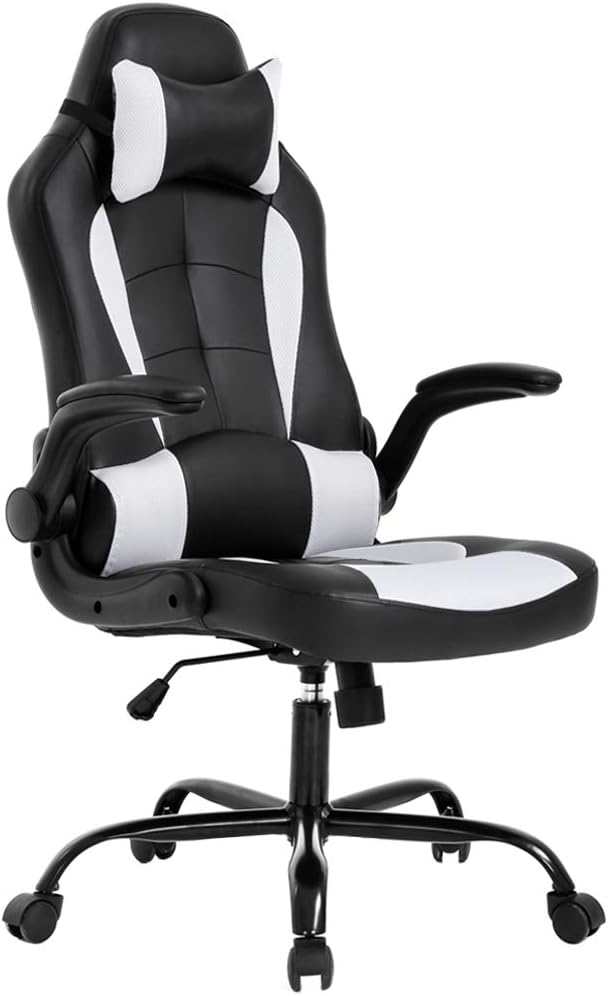
The BestOffice PC Gaming Chair is a straightforward, no-nonsense option. Its pitch is simple: a padded chair with a gaming look, designed to fit a typical computer desk without taking over the room. If you want something comfortable for a few hours at a time and do not need advanced adjustments, it covers the basics.
Pros
- Straightforward, easy-to-use design
- Practical for compact desks and small rooms
- Budget price
Cons
- Basic adjustability
- Better for occasional use than long daily sessions

OLIXIS Computer Gaming Chair
The OLIXIS Computer Gaming Chair rounds out the budget trio with a padded, computer-desk-friendly design aimed at students and casual players. It will not replace a premium ergonomic chair, but for a few hours of study or play at a time, it offers a comfortable place to sit at a price that leaves room for the rest of your setup.
Pros
- Wallet-friendly
- Comfortable for moderate sessions
- Good fit for dorms and bedrooms
Cons
- Not intended for all-day heavy use
- Check dimensions if you are very tall
Getting the most from a budget chair
Budget chairs reward smart habits. Assemble the chair carefully and tighten every bolt, because loose hardware causes wobble and wear. Position the lumbar and neck cushions deliberately instead of leaving them wherever they land. Add a thin, firm seat cushion if the foam feels too soft. And set a rule for yourself about taking breaks, because the less adjustable a chair is, the more you need to change position yourself.
It also helps to think about lifespan. A budget chair that lasts a couple of years of regular use is still good value if it was inexpensive and comfortable while it lasted. A budget chair that falls apart in a few months is not. Skim recent reviews specifically for comments about durability, then decide whether the saving is worth the risk.
Shopping on a budget? See comfortable, affordable gaming chairs and compare current prices.
Find Budget Gaming Chairs on AmazonMaterials, Heat, and Long-Session Comfort
Two chairs with identical shapes can feel completely different depending on what covers them. Material affects temperature, grip, cleaning, durability, and even how supportive the seat feels over time. If you have ever wondered why a chair felt great in the store and miserable in July, the answer is probably the cover.
PU leather and faux leather
Most gaming chairs use a synthetic leather-style cover. It looks sharp, wipes clean in seconds, and resists spills, which is a real advantage if you game with snacks and drinks nearby. The downside is breathability. These covers do not let much air pass through, so they can feel warm and, in humid conditions, sticky. Over several years, the surface can also crack or peel, especially in areas that take the most friction, such as the seat edge and armrests.
Choose this option if you value easy cleaning and a bold look, live in a cooler climate, or run air conditioning during sessions. Skip it if you tend to overheat.
Fabric
Fabric covers sit between synthetic leather and mesh. They breathe better than faux leather, feel softer to the touch, and do not get cold or clammy. They are, however, harder to clean when something spills, and they can hold dust and pet hair. Fabric also tends to feel cozier, which many people enjoy during long evening sessions.
Mesh
Mesh is the champion for airflow, as we saw with the ELABEST X100. It stays cool, spreads pressure, and flexes with your movements. Mesh does feel firmer and less cushioned than thick padding, which some people love and others find too structured. It also does not offer the bolstered, wrap-around feeling of racing-style chairs.
| Material | Breathability | Feel | Cleaning | Best for |
|---|---|---|---|---|
| PU / faux leather | Low | Smooth, padded | Very easy | Cool rooms, spill-prone setups |
| Fabric | Medium to good | Soft, cozy | Moderate | Everyday comfort, mild climates |
| Mesh | Excellent | Springy, structured | Easy to vacuum | Warm rooms, all-day sitting |
Temperature is part of comfort
People often judge a chair purely on shape and padding, and then wonder why they are still restless. Often the culprit is heat. Your body is constantly exchanging warmth with its surroundings, and a chair that blocks that exchange can quickly push you from “comfortable” to “uncomfortable” without any change in posture. This is the same principle behind the concept of thermal comfort, which looks at how temperature, airflow, humidity, and even clothing combine to determine whether a space feels right. If you want to go deeper, our guide to what thermal comfort is explains the factors involved, many of which you can influence with the right chair and a few small habits.
Simple ways to keep cool in any chair
- Keep a fan or the air conditioning pointed so air moves past your back and legs.
- Wear breathable clothing during long sessions.
- Add a breathable seat cover or cushion if your chair runs hot.
- Stand and stretch every so often. Even a minute off the seat lets heat and moisture escape.
- Avoid placing the chair directly in the path of a PC exhaust or sunlit window.
Foam and padding over time
Another quiet factor in long-term comfort is what is under the cover. Dense, resilient foam keeps its shape and spreads your weight evenly, while cheap, soft foam can flatten within months. You cannot see foam density from a photo, so pay attention to review comments about “sagging,” “bottoming out,” or “went flat.” Chairs described as firm, supportive, and resilient tend to age better than chairs praised mainly for being “super soft.” Softness is a first-impression feeling. Support is what lasts.
Running hot at your desk? Explore breathable chair options and cooling seat cushions on Amazon.
Shop Cooling Seating on AmazonSetting Up Your Chair and Desk for Maximum Comfort
You can own the best chair in the world and still be uncomfortable if it is set up badly. The good news is that a few minutes of adjustment can make a bigger difference than a hundred dollars of upgrades. Here is a simple sequence to follow when your new chair arrives, and any time your body starts complaining.
Start with the seat height
Sit all the way back in the chair and adjust the height so your feet rest flat on the floor with your knees at about a right angle, or slightly lower than your hips. If your feet do not reach the floor, you need a footrest or a lower seat. If your knees rise above your hips, the seat is too low.
Set the backrest and lumbar support
Adjust the backrest angle so it supports your back without pushing you forward. A slight recline, somewhere a little past upright, is comfortable for most people. Then position the lumbar support at the hollow of your lower back. It should feel like gentle support, not a shove. If you have a loose cushion, slide it up or down until you find the spot where your back feels held without arching.
Fine-tune the armrests
Set the armrests so your elbows rest at roughly 90 to 100 degrees, with your shoulders relaxed. If you notice your shoulders creeping up, lower them. If you are leaning to one side to reach them, raise them. The goal is for the armrests to share the load with your arms, so your neck and shoulders do not have to.
Check the seat depth
If the chair allows seat depth adjustment, slide the seat so there is a two-to-three-finger gap between the seat edge and the back of your knees. If it does not, a firm back cushion can help you fine-tune the fit.
If you want a more detailed walk-through of every lever and knob, our guide on how to adjust an office chair covers the process step by step, and almost everything in it applies to gaming chairs too.
Then fix the desk and screen
Your chair is only half of the equation. The desk and the monitor complete it. Your keyboard and mouse should sit at a height that lets your forearms rest roughly level with the floor and your wrists stay straight. Your monitor should be about an arm’s length away, with the top edge near eye level, so you are not craning your neck up or down. Moving the screen is often the cheapest way to cure neck tension.
We put together a full guide on how to set up an ergonomic desk, and it pairs perfectly with the adjustments above. Between the chair and the desk, you will end up with a complete setup that supports your body from head to toe.
Build a rhythm of movement
Once your setup is dialed in, protect it with habits. Take a short break every thirty to sixty minutes. Stand, stretch your hips and chest, roll your shoulders, and look at something far away to rest your eyes. Between games, change posture, recline for a moment, or switch to a standing position if you have a height-adjustable desk. These small resets cost almost no time and stop discomfort from building up quietly in the background.
Common setup mistakes to avoid
After helping people sort out their desks, a few patterns come up again and again. The first is setting the seat too low because it feels “relaxed.” A low seat lifts your knees above your hips and rounds your lower back, which tends to cause fatigue later. The second is leaving the lumbar cushion wherever it came out of the box. A cushion that is two inches too high is easy to ignore for ten minutes and impossible to ignore after two hours.
The third mistake is locking the chair into one position and never touching it again. A chair is a tool for changing posture, so use it. Recline a little when you are thinking or watching, sit more upright when you need precision, and let the back follow you rather than holding you rigid. The fourth is placing the monitor too low, which pulls your head forward and loads your neck. A stack of books or a monitor stand costs very little and fixes it in seconds.
A quick end-of-session self-check
- Does your lower back feel supported, or is it tired and tight?
- Are your shoulders relaxed, or hunched up near your ears?
- Are your wrists straight, or bent upward at the keyboard?
- Are your legs comfortable, or tingling at the seat edge?
If any answer is “no,” go back through the adjustment sequence. Small changes usually fix the problem.
Finish the setup. Browse footrests and ergonomic desk accessories that make any chair more comfortable.
Shop Ergonomic Desk Accessories on AmazonGaming Chair vs Office Chair, and What It Means for Your Back
If you are shopping for comfort, you will eventually wonder whether a gaming chair is the right choice at all. It is a fair question. Office chairs have a long track record in ergonomic design, while gaming chairs have a flashier style and often a lower price. The honest answer is that either can be an excellent choice, and the real winner is whichever one fits your body and your habits.
Where gaming chairs shine
- Bolstered shape: Side supports on the seat and back give many people a secure, wrap-around feel.
- Recline range: Many gaming chairs recline far enough for real breaks.
- Included extras: Head pillows, lumbar cushions, footrests, and massage features are common.
- Style: If you care how your room looks, gaming chairs tend to offer bolder styling and color choices.
Where office chairs shine
- Fine-grained adjustability: Many office chairs offer seat depth, multi-direction armrests, and adjustable lumbar as standard.
- Breathable materials: Mesh backs are common and effective.
- Neutral look: They blend into home offices and shared spaces.
Each category has strengths and weaknesses, and the lines between them are blurrier than ever. Several chairs in this guide, like the ELABEST X100, behave like office chairs with a gamer-friendly spirit, while premium gaming models like the Titan Evo borrow heavily from ergonomic office design. For a full breakdown, see our comparison of gaming chair vs office chair, and if you lean toward the office side, our picks for the best office chair for comfort are a natural next stop.
So, is a gaming chair good for your back?
It can be, but it depends on the chair and on how you use it. A gaming chair with real adjustability, a supportive seat, and lumbar support that fits your spine can serve your back well. A gaming chair with a fixed, poorly placed lumbar pillow and a flat, overly soft seat may do the opposite. Shape and fit matter more than the label on the box.
Equally important, no chair can protect your back if you stay frozen in it for hours. Movement, regular breaks, and a good desk setup are essential partners to any seat. We explore this topic in depth in our article on whether a gaming chair is good for your back. And as a standard reminder: this guide offers general comfort information and is not medical advice. If you have ongoing back pain, numbness, or other symptoms, please talk with a qualified healthcare professional.
Comfort for different body types and uses
The same chair can feel completely different depending on who sits in it. Taller users should pay close attention to backrest height and seat depth, since a short backrest leaves the upper back unsupported and a shallow seat leaves the thighs hanging. Petite users often get more from a smaller-sized chair, a thinner lumbar cushion, and a footrest, because oversized chairs push the knees against the seat edge and leave the feet dangling. Heavier users should look at weight ratings, seat width, and the quality of the base, and should favor firm, resilient foam that will not bottom out.
Use matters too. Streamers and remote workers who sit through video calls tend to benefit from armrests that adjust well and a backrest that supports a more upright posture. Console players who sit farther from a screen often enjoy deeper recline and a footrest. Competitive players who need quick, precise movements usually prefer a stable, upright chair with armrests set at the right height. Matching the chair to the way you actually sit is the most dependable shortcut to long-term comfort.
A simple decision shortcut
- Choose a gaming chair if you love the bolstered feel, want recline and extras, and plan to adjust the chair carefully.
- Choose a mesh or office-style chair if you run warm, want maximum adjustability, and sit for most of the day.
- Choose a premium hybrid if you want the best of both and have the budget.
Still weighing your options? Compare ergonomic office and gaming chairs side by side.
Compare Ergonomic Chairs on AmazonFrequently Asked Questions About Comfortable Gaming Chairs
What is the most comfortable gaming chair overall?
For most people who sit for long hours, the Secretlab Titan Evo is the most comfortable pick in this guide, thanks to its adjustable lumbar support, head pillow, and supportive cushioning. That said, comfort is personal. If you run warm, the ELABEST X100 mesh chair may feel better, and if your budget is tight, the Dowinx offers a sensible balance of ergonomics and price.
Are gaming chairs actually good for long hours of sitting?
They can be, as long as the chair fits your body and offers real adjustability. Look for adjustable lumbar support, a seat of the right depth, and armrests that let your shoulders relax. Also, no chair replaces movement: stand up and stretch every thirty to sixty minutes.
Is a gaming chair better than an office chair for comfort?
Neither is automatically better. Gaming chairs often provide bolstered support, deeper recline, and included extras. Office chairs frequently offer finer adjustments and more breathable materials. The best choice depends on how you sit, how warm you run, and how much adjustability you need.
Do I need a gaming chair with lumbar support?
For long sessions, yes, it is highly recommended. Lumbar support helps maintain the natural curve of your lower back so that your muscles and spine do not have to work as hard. Choose a chair where you can adjust the position of the support, or one with a repositionable cushion.
Are massage gaming chairs worth it?
A massage lumbar cushion, like the one on the Yaheetech chair, can add variety and a soothing sensation. It is a comfort extra, not a replacement for good support or healthy habits. If you like the idea, it is a fun feature. If you mainly want structural support, prioritize adjustable lumbar and a well-shaped seat first.
Is a footrest on a gaming chair useful?
It is useful for reclining, relaxing between sessions, and supporting your feet if they do not comfortably reach the floor. During active desk play, you generally want your feet flat on the floor, so the footrest is best used for breaks. Chairs like the N-GEN and GTPLAYER are good examples.
Which material is best for a comfortable gaming chair?
Mesh is best for breathability and staying cool, fabric offers a soft and balanced feel, and PU leather is the easiest to clean but runs warm. If you tend to overheat, choose mesh or fabric. If you value easy maintenance, faux leather may suit you better.
How do I know if a gaming chair will fit my body?
Check the listing for seat width, seat depth, backrest height, and weight rating, and compare them with your own measurements. Look for a two-to-three-finger gap between the seat edge and the back of your knees, and make sure your feet can rest flat on the floor at the right seat height. Reading recent reviews from people of a similar height and build is also very helpful.
How should I adjust my gaming chair for the best comfort?
Set the seat height so your feet are flat and your knees are around a right angle, position the lumbar support at the hollow of your lower back, adjust the armrests so your shoulders are relaxed, and use a slight recline. Our guide on how to adjust an office chair walks through each step.
Can a cheap gaming chair be comfortable?
Yes, for moderate use. Budget models like the Homall, BestOffice, and OLIXIS can feel comfortable for casual sessions. Expect simpler adjustments and less durable foam than premium chairs, and add a lumbar cushion or seat pad if you want extra support.
How long does a gaming chair usually last?
It varies widely with build quality, how often you sit in it, and how well you care for it. Premium chairs with dense foam and sturdy hardware are built to last for years. Budget chairs may show wear sooner, especially on the cover and seat foam. Tightening bolts periodically and cleaning the cover helps extend the life of any chair.
What else can I do to stay comfortable while gaming?
Set up your desk and monitor properly, take short breaks every thirty to sixty minutes, keep your room at a comfortable temperature, and vary your posture. Our guide on how to set up an ergonomic desk covers the details that make the biggest difference.
Final Verdict: Choosing the Best Gaming Chair for Comfort
After looking closely at all ten chairs, the picture is clear. There is no single winner for every body and every budget, but there is a right chair for you, and you can find it by matching features to habits rather than chasing hype.
If you sit for many hours and want the most complete comfort package, the Secretlab Titan Evo is the strongest overall pick. If you want a well-rounded racing-style chair at a friendlier price, the AutoFull G7 is a smart choice. For hot rooms and long workdays, the ELABEST X100 mesh chair is hard to beat. If your lower back craves variety, the Yaheetech with massage lumbar is a gentle, affordable option. For reclining and relaxing, the N-GEN and GTPLAYER footrest chairs make it easy. And for the best balance of ergonomics and price, the Dowinx earns the value title. If you are keeping costs low, the Homall, BestOffice, and OLIXIS chairs can serve casual sessions well.
Whichever chair you choose, remember the basics: fit it to your body, set it up carefully, keep your desk and monitor in good position, and get up regularly. Comfort is a system, and the chair is the centerpiece, not the whole story. Choose well, adjust patiently, and your next long session will feel a lot kinder.
Ready to upgrade your seat? Start with the chair that matches your body and budget, and check the current price before it changes.
Check the Top Pick on AmazonNot sure yet? Browse more comfortable gaming chairs and compare them side by side.
See More Comfortable Gaming Chairs